Are Your Test Servers Paying Production Prices?
Most Azure estates we review have the same split. Production sits in a few subscriptions. Development, testing, training and UAT sit in a few more. Very often, every one of those subscriptions is on the same full-price offer.
That means the test server pays the same hourly rate as the production server. A Windows test VM still carries the Windows licence. A SQL Server test VM still carries the SQL licence. The App Service plan behind a test website is billed at the production rate. None of it serves a customer, and all of it lands on the same invoice.
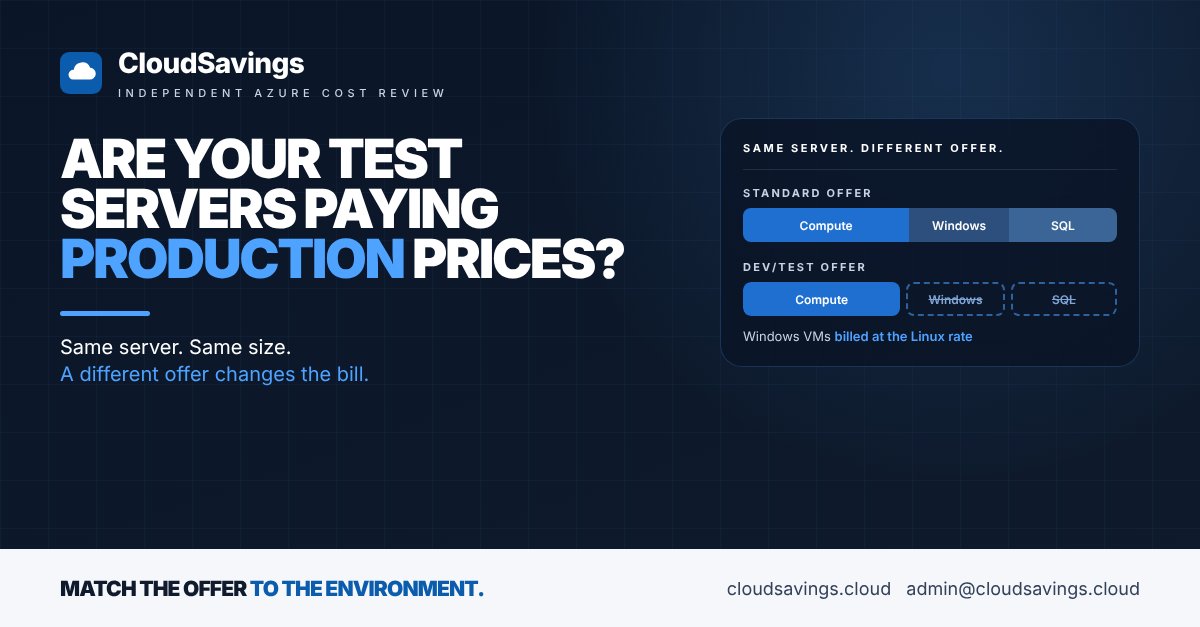
Microsoft offers a cheaper way to run this work. Organisations with Visual Studio subscriptions can put non-production workloads on a dev/test subscription offer, where Windows VMs are billed at the Linux rate and several other services are discounted. It's not a hidden trick. It's just a decision that someone has to make when subscriptions are created, and in many estates nobody made it.
Why it happens
Subscriptions get created in a hurry. A project needs somewhere to build, someone with the right role creates a subscription, and the default offer is the full-price one. Nobody comes back to ask whether it should have been dev/test.
There are three common reasons the cheaper offer gets missed:
- Nobody turned it on. Under an Enterprise Agreement, the Enterprise Dev/Test offer only appears when an Enterprise Administrator has enabled it for account owners, according to Microsoft's guide to creating EA subscriptions. If it was never enabled, account owners only see the standard offer.
- The licensing rules look awkward. Every person who uses the resources in a dev/test subscription needs an active Visual Studio subscription, according to the Enterprise Dev/Test offer terms. End users can still access the application for acceptance testing. Many organisations already pay for Visual Studio subscriptions for their developers and never connect the two.
- Environments drift. A test environment gets reused for a pilot, the pilot goes live, and the line between production and non-production blurs. When nobody is sure, the safe answer is full price.
There is a real trade-off. Dev/test subscriptions are for development and testing only, and they don't carry a financially backed SLA, according to the same offer terms. That's exactly why they suit non-production work and why production must stay out.
What to check
These are the questions we work through on the non-production side of an estate in a review:
- ✔️ Offer type: Which offer is each non-production subscription on? Is any of it on dev/test at all?
- ✔️ Enabled for account owners: Under an Enterprise Agreement, has an Enterprise Administrator enabled the dev/test offer, so new subscriptions can use it?
- ✔️ Windows VMs: How much non-production compute is Windows? On a dev/test offer these VMs are billed at the Linux rate for the same size.
- ✔️ SQL Server and SQL Database: Are test databases and SQL Server VMs paying full licence rates? Microsoft's dev/test pricing page lists SQL Server VMs at Linux VM rates and discounted SQL Database rates.
- ✔️ App Service plans: Are the plans behind test and staging sites on full-price subscriptions? Basic, Standard and Premium v2 and v3 plans are discounted under dev/test.
- ✔️ Visual Studio coverage: Does everyone who works in non-production subscriptions already hold an active Visual Studio subscription? If so, the main barrier is already paid for.
- ✔️ Nothing customer-facing: Is anything that customers or staff depend on running in a dev/test subscription? That belongs in production, with an SLA.
How to check your own estate
All of these steps are read-only.
- In the Azure portal, open Subscriptions and select each subscription in turn. The Overview page shows the Offer and Offer ID. Enterprise Dev/Test is
MS-AZR-0148P, Pay-As-You-Go Dev/Test isMS-AZR-0023P, and the Microsoft Customer Agreement equivalent, Azure Plan for Dev/Test, isMS-AZR-0148G. - Make a simple list: subscription name, offer, and whether it is production or non-production. Ask the owner if the name doesn't make it obvious. Any non-production subscription on a standard offer is a candidate.
- Open Cost Management, then Cost analysis. Set the scope to each candidate subscription, group by Service name and look at the last three months. Virtual Machines, SQL Database and App Service are the lines the dev/test offer changes most.
- Still in Cost analysis, filter to Virtual Machines and group by Meter subcategory. Windows VMs show up under subcategories that include "Windows", and their hourly rate includes the licence. The gap between that and the Linux rate for the same size is what a dev/test subscription stops billing. If Azure Hybrid Benefit is already applied to a VM, the Windows licence is already off and the saving there is smaller.
- If you are on an Enterprise Agreement, ask your Enterprise Administrator whether the dev/test offer is enabled for account owners. It is a billing account policy, not something you can see from a subscription.
- Check your Visual Studio subscription list against the people who have access to each candidate subscription. Gaps here are a licensing question to settle before anything moves.
Moving workloads is the step that changes things. Most resources can be moved between subscriptions, but plan it like any other change, using Microsoft's guidance on moving resources, and make sure nothing production-critical moves with it.
Paying the right rate for the right environment is the FinOps Framework's Rate Optimization capability: the cheapest offer is the one that matches what the workload actually is.
Sources
- Enterprise Dev/Test offer, Microsoft Azure
- Azure dev/test pricing, Microsoft Azure
- Create an Enterprise Agreement subscription, Microsoft Learn
- Create Enterprise Dev/Test subscriptions, Microsoft Learn
- Move Azure resources to a new resource group or subscription, Microsoft Learn
- FinOps Framework: Rate Optimization, FinOps Foundation
An independent view of your Azure spend. I sell no licences, managed services or remediation, so my findings have nothing attached to them.
Book a 30-minute call