Is Your Old Data on Your Most Expensive Storage?
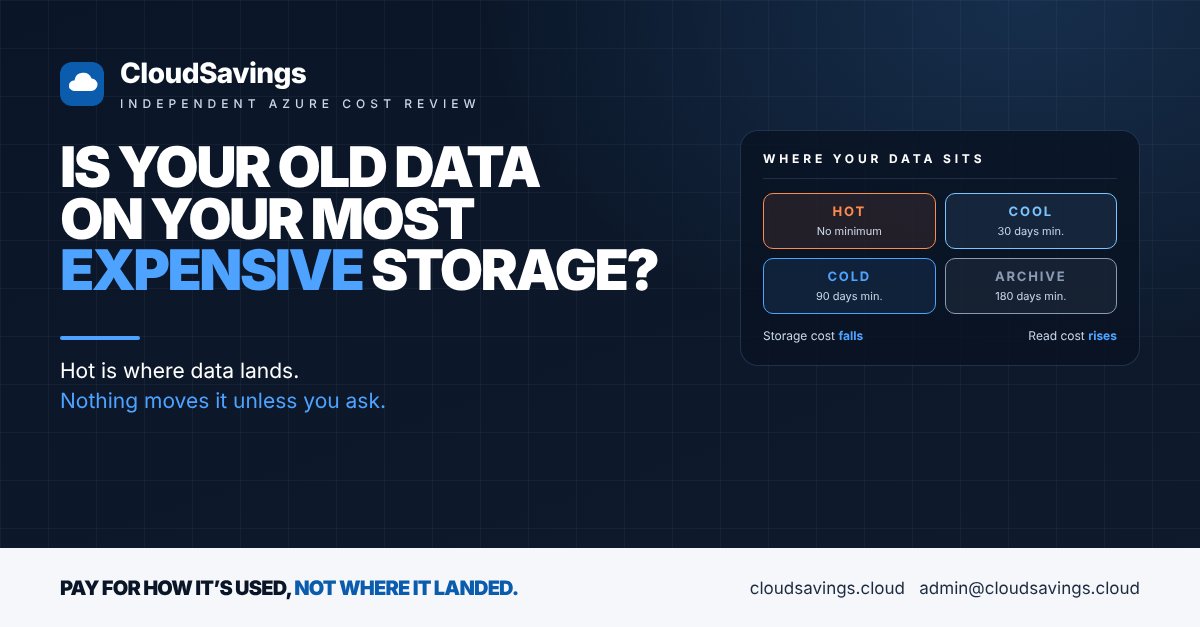
In many Azure storage accounts, most of the data was written once and hasn't been opened since. Old backups, exported reports, log archives, project files from systems that were retired years ago.
In many estates we review, nearly all of it is still billed on the Hot tier: the most expensive place in Blob Storage to keep data that nobody reads.
Nobody chose that. Hot is simply where data lands unless someone sets up something different, and storage rarely breaks anything, so it rarely gets a second look. The bill grows a little every month, and it's easy to put down to "more data".
Why it happens
Azure Blob Storage has four access tiers: Hot, Cool, Cold and Archive. The cooler the tier, the less you pay to store each gigabyte, and the more you pay to read it back. Archive is offline: data has to be rehydrated before anyone can open it, which can take up to 15 hours.
Four things keep data on Hot long after it stops earning its place there.
Hot is the default. New general-purpose v2 storage accounts default to the Hot tier. Unless the account default is changed, or a rule moves data later, everything written stays on Hot indefinitely.
Nothing moves data on its own. Tiering only happens when something does it. That's usually a lifecycle management policy, which is free to set up but has to be written, agreed with the data owner and switched on. Many accounts never get one.
Rules can't see what nobody's reading. A rule can move data based on when it was created, last modified or last accessed. The last-accessed option only works if access time tracking is turned on, and it's off by default. Without it, rules can only use age, which is a blunt instrument.
Cooler tiers carry conditions. Cool, Cold and Archive each have a minimum retention period: 30, 90 and 180 days respectively. Delete, overwrite or move data out early and you're charged for the rest of the period. Reading from cooler tiers also attracts retrieval and transaction charges. Teams that got burnt once by moving the wrong data often decide it's safer to leave everything on Hot.
There's also a quieter trap. Data in a premium block blob account can't be moved to the standard tiers at all, and Archive isn't available on zone-redundant accounts (ZRS, GZRS, RA-GZRS). Data placed there "for performance" or "for resilience" during a migration can sit at a premium rate long after the reason has gone.
What to check
- ✔️ Default tier: Is every storage account still defaulting new data to Hot, including accounts that only hold backups and archives?
- ✔️ Capacity by tier: How much of your stored data sits on Hot, and how much of that has been read in the last 30 days?
- ✔️ Lifecycle rules: Does each large account have a policy that moves untouched data to a cooler tier, and deletes it when it's no longer needed?
- ✔️ Access tracking: Is last access time tracking on, so rules act on what's actually read rather than just how old it is?
- ✔️ Early deletion charges: Is data being moved to Cool, Cold or Archive and then deleted or changed within 30, 90 or 180 days?
- ✔️ Read-heavy data on cool tiers: Is anything frequently read sitting on Cool or Cold, where retrieval charges can outweigh the storage saving?
- ✔️ Premium and zone-redundant accounts: Does the data in them still need premium performance or zone redundancy, or is it just old?
For zone-redundant standard accounts, Microsoft now offers smart tier, which moves objects between Hot, Cool and Cold automatically based on access, with no early deletion or retrieval fees. It doesn't cover Archive, and small objects stay on Hot, so it's an option to assess rather than a default answer.
How to check your own estate
These steps are read-only. You need Reader access to the subscriptions and Cost Management Reader at the billing scope.
- In the Azure portal, open Cost Management > Cost analysis. Set the scope as high as you can, such as a management group or billing account. Filter Service name to Storage and group by Meter. Look at how much of the storage line is Hot data stored versus Cool, Cold and Archive.
- Switch the grouping to Resource and sort by cost. Note the ten most expensive storage accounts.
- For each one, open the storage account Overview and check Default access tier under the Blob service properties.
- Open Monitoring > Metrics, choose the Blob metric namespace and Blob Capacity, then Apply splitting by Blob tier. This shows how much data sits on each tier and whether Hot keeps growing.
- Open Data management > Lifecycle management. Check whether any rules exist, what they act on, and whether access tracking is enabled.
- For the largest accounts, ask the data owner two questions: how often is this read, and how long do we need to keep it? Their answers set the rule, not the other way round.
If you want a file-level view later, a blob inventory report lists each blob's tier, creation date and last-modified date. Setting one up is a change, so agree it with the account owner first.
Storage tiering is a Usage Optimization problem in the FinOps Framework: paying the right rate for how data is actually used, not the rate it was given on the day it was written.
Sources
- Access tiers for blob data (Microsoft Learn)
- Azure Blob Storage lifecycle management overview (Microsoft Learn)
- Smart tier for Azure Blob Storage (Microsoft Learn)
- Azure Storage blob inventory (Microsoft Learn)
- FinOps Framework: Usage Optimization (FinOps Foundation)
An independent view of your Azure spend. I sell no licences, managed services or remediation, so my findings have nothing attached to them.
Book a 30-minute call